Blog

Instagram Carousel Cover Prompt

NEW

The cover slide decides the swipe. This prompt designs clean 1:1 carousel covers β€” elegant flat-lays, bold minimal layouts, instant swipe energy.
PhotoGemini
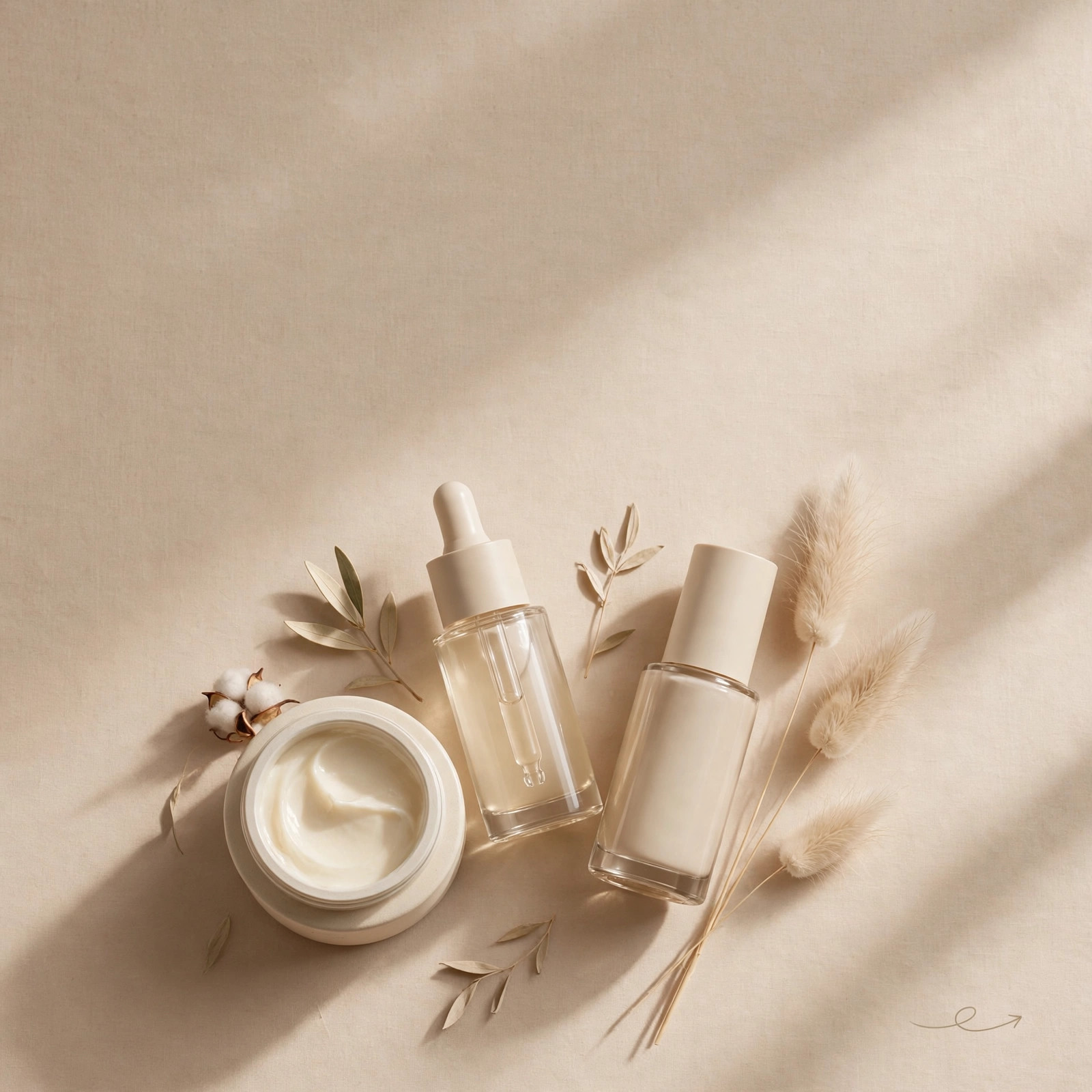
Instagram Carousel Cover β€” example result
πŸ“‹ Copy This Prompt
Create an Instagram carousel cover slide in 1:1 square format. Topic: [YOUR TOPIC, e.g. a skincare product flat lay]. Style: minimalist premium β€” subject arranged on a warm beige background with soft natural shadows, generous negative space. Add a subtle swipe-arrow motif in the bottom-right corner. Palette: cream, beige, soft brown β€” calm and expensive. Lighting: soft window light, gentle shadows. Details: ultra-clean, editorial product photography look, no text, no watermark. Make it look like a top D2C brand's carousel β€” the cover that earns the swipe.

Example Results

View More →
5-Tips Carousel Slides example
5-Tips Carousel Slides
2016 Throwback Instagram Photo example
2016 Throwback Instagram Photo
Instagram Story Background example
Instagram Story Background

Why This Prompt Works

  • The cover must promise value β€” pair it with a hook line in your caption.
  • Keep one visual style across all slides or the carousel feels broken.
  • Square format also works for LinkedIn document posts.

Best For

πŸ“ΈInstagram DPπŸ‘€Profile PicturesπŸ“±Social Media Posts🎨Creative ProjectsπŸ‘—Fashion Portraits
How to Use−
  1. Copy the prompt.
  2. Describe your topic.
  3. Generate with Gemini.
  4. Add your hook text in an editor.
  5. Post as a multi-slide carousel.
Prompt Variations (3)+
  • Couple version: replace β€œmy selfie” with β€œa photo of us together” for a matching couple portrait.
  • Festive twist: add β€œwearing festive ethnic attire, diya-light bokeh in the background” for a Diwali-ready version.
  • B&W classic: append β€œblack and white, high-contrast studio portrait” for a timeless monochrome look.
Things to Avoid+
  • Don’t upload a blurry or group photo β€” the AI needs one clear face to lock onto.
  • Don’t delete the β€œkeep my face unchanged” line, or the result won’t look like you.
  • Don’t stack heavy filters afterwards β€” they undo the realistic finish.
How many slides should a carousel have?+

5-10. The cover hooks, the middle delivers, the last has the CTA.

Square or portrait for carousels?+

Square (1:1) is safest β€” it displays fully in feed and grid. This prompt is 1:1.

Can I use this for business carousels?+

Yes β€” swap the flat-lay for your product or a clean abstract in the brackets.

More AI Instagram Prompts →

Related Prompts

View All →

Updated on 2026-10-06 · Free to use