Cute Baby Rainbow Woolen Dress Video Prompt
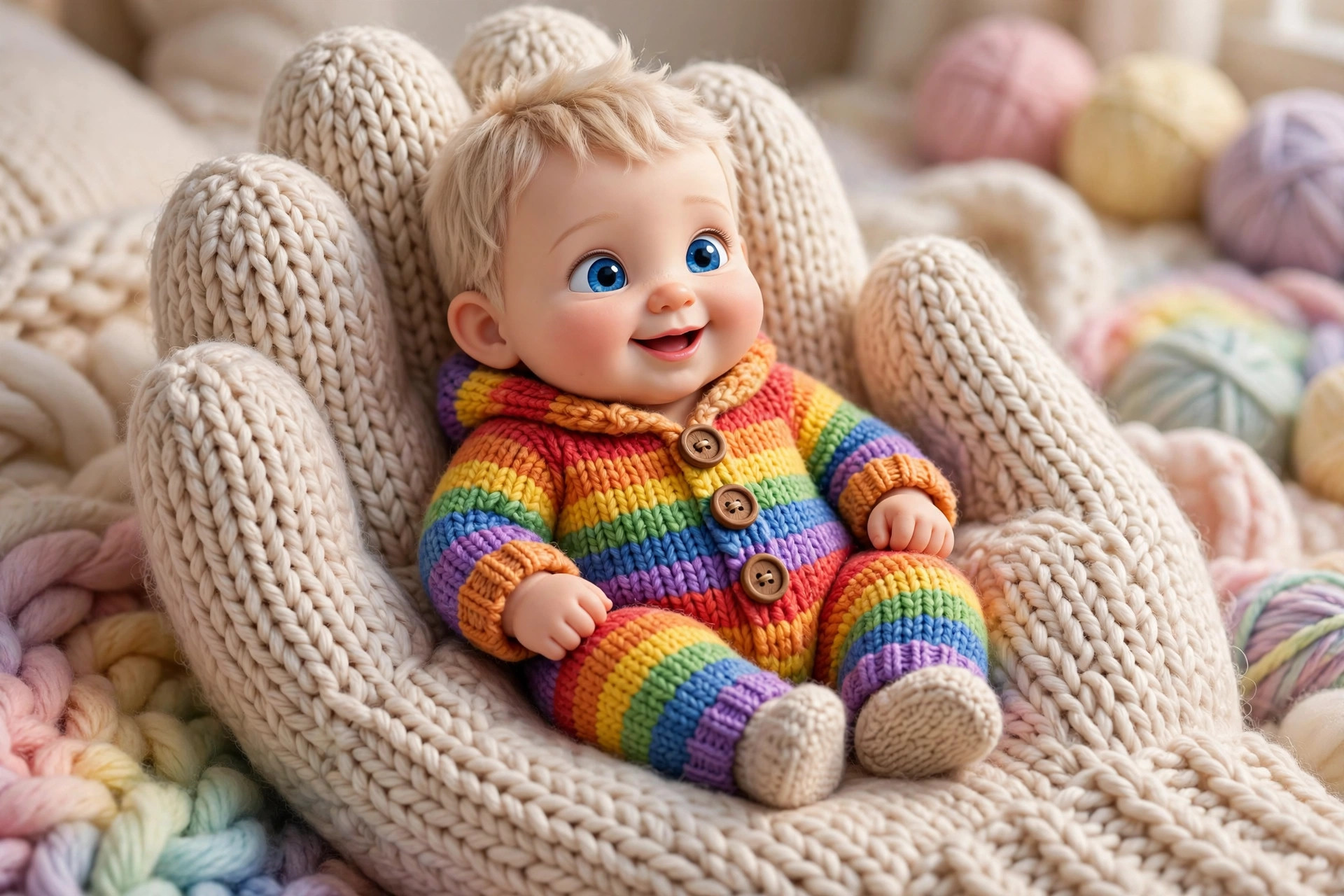
An ultra-realistic 3D baby in a rainbow woolen bodysuit, cradled in a giant woolen hand — peak cuteness bait for Reels.
What this prompt does
This is the published Hindi prompt behind the viral cute-baby rainbow-woolen videos all over Reels and Shorts: an ultra-realistic 3D animation of a chubby 6-month-old baby with big blue eyes, dressed in a rainbow knitted woolen bodysuit with big wooden buttons, sitting safely inside a giant soft woolen hand — staring into the camera with the perfect expression. The fine yarn texture, cinematic lighting and 9:16 vertical format complete the package. It is textbook cuteness bait, usually paired with trending audio overlays, and it works on Veo 3, Kling AI or Luma. The pro move from the source page: generate a still image first in Leonardo or Midjourney, then run image-to-video in Kling or Luma — that keeps the baby's face consistent across the clip instead of morphing mid-video.
Tips to get the best result
- Image-to-video beats text-to-video here: generate the still first, then animate it for face consistency.
- Pair with a trending cute audio — the audio does half the viral work on Reels.
- Keep it under 10 seconds; the loop is the retention mechanic.
- Try outfit swaps (pastel knits, festive colours) for a series from one base image.
How to use it (3 steps)
- Generate a still of the baby scene in Leonardo/Midjourney, or paste the Hindi prompt into Veo 3 directly.
- Run image-to-video in Kling or Luma for a smooth 9:16 clip.
- Add trending audio and post as a Reel/Short.
Frequently asked questions
Which tool is best for this video?
Veo 3, Kling AI or Luma all work. For the most consistent baby face, generate a still first then use Kling/Luma image-to-video.
Why does the baby's face change mid-video?
Text-to-video models morph faces across frames. The fix is image-to-video from a single still.
What format should I export?
9:16 vertical, under 10 seconds — built for Reels, Shorts and TikTok.
Updated on 27 September 2026 · Free to use