 HELPFUL
LinkedIn Banner Background Prompt
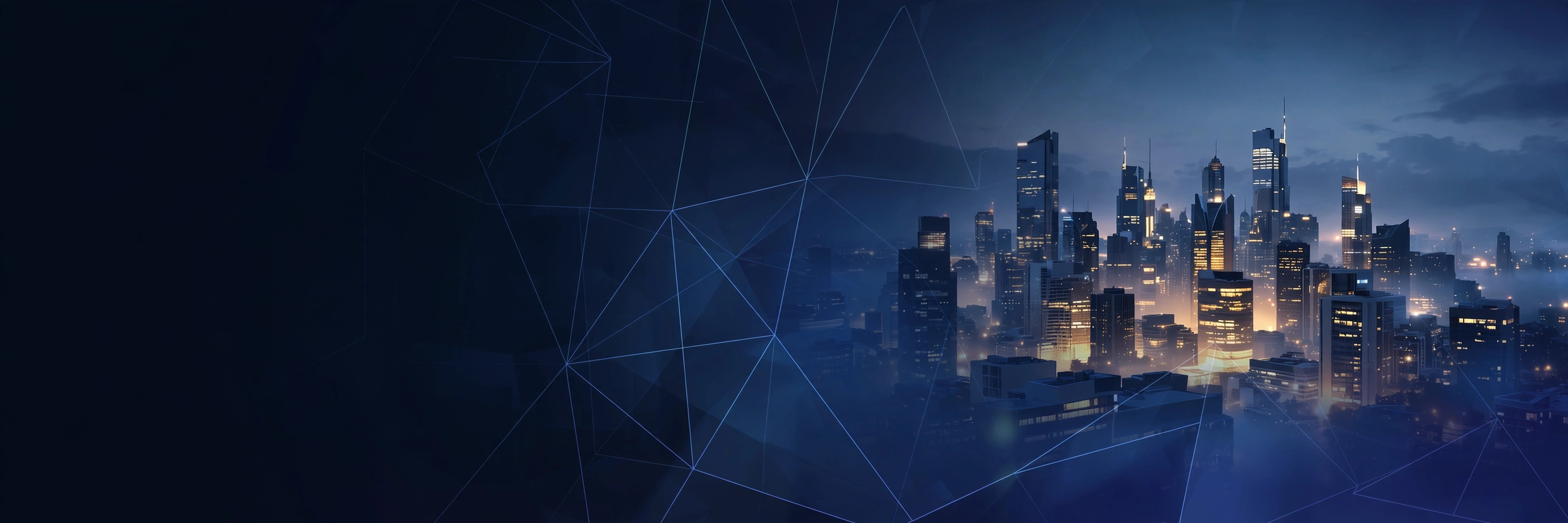
NEWRecruiters see your banner before your headline. This prompt builds a polished 16:9 professional banner — skyline, abstract, or industry-themed — with your profile photo zone kept clear.
PhotoGemini
📋 Copy This Prompt
Create a professional LinkedIn banner background in wide 16:9 format (1584x396 composition). Theme: [YOUR INDUSTRY, e.g. software / finance / design]. Style: modern corporate — city skyline at dusk with a deep blue gradient overlay, subtle geometric lines, soft glow. Keep the left third clean and dark (where the profile photo overlaps). Mood: trustworthy, ambitious, premium. Details: crisp, uncluttered, no text, no watermark, no logos. Make it look like a Fortune 500 executive's banner — the background that makes a profile look serious.
Example Results
View More →

Why This Prompt Works
- Keep the left side dark and simple — your photo sits on top of it.
- Match banner colours to your industry: blues for corporate, warm tones for creative.
- Avoid busy patterns; recruiters skim in seconds.
Best For
📸Instagram DP👤Profile Pictures📱Social Media Posts🎨Creative Projects👗Fashion Portraits
How to Use−
- Copy the prompt.
- Insert your industry.
- Generate with Gemini.
- Upload via LinkedIn > Edit profile > Background photo.
- Check on mobile — most views happen there.
Prompt Variations (3)+
- Couple version: replace “my selfie” with “a photo of us together” for a matching couple portrait.
- Festive twist: add “wearing festive ethnic attire, diya-light bokeh in the background” for a Diwali-ready version.
- B&W classic: append “black and white, high-contrast studio portrait” for a timeless monochrome look.
Things to Avoid+
- Keep the left side dark and simple — your photo sits on top of it.
- Avoid busy patterns; recruiters skim in seconds.
- Don’t stack heavy filters afterwards — they undo the realistic finish.
What size is the LinkedIn banner?+
1584x396 px. This prompt composes wide with the photo zone respected.
Should the banner show my face?+
No — that's what your headshot is for. The banner should signal your industry and ambition.
Can I use it for a company page?+
Yes, the same composition works for company page covers.
More AI Professional Headshot Prompts →
Related Prompts
View All →
Updated on 2026-10-06 · Free to use