Blog

Challenge Video Thumbnail Prompt

NEW

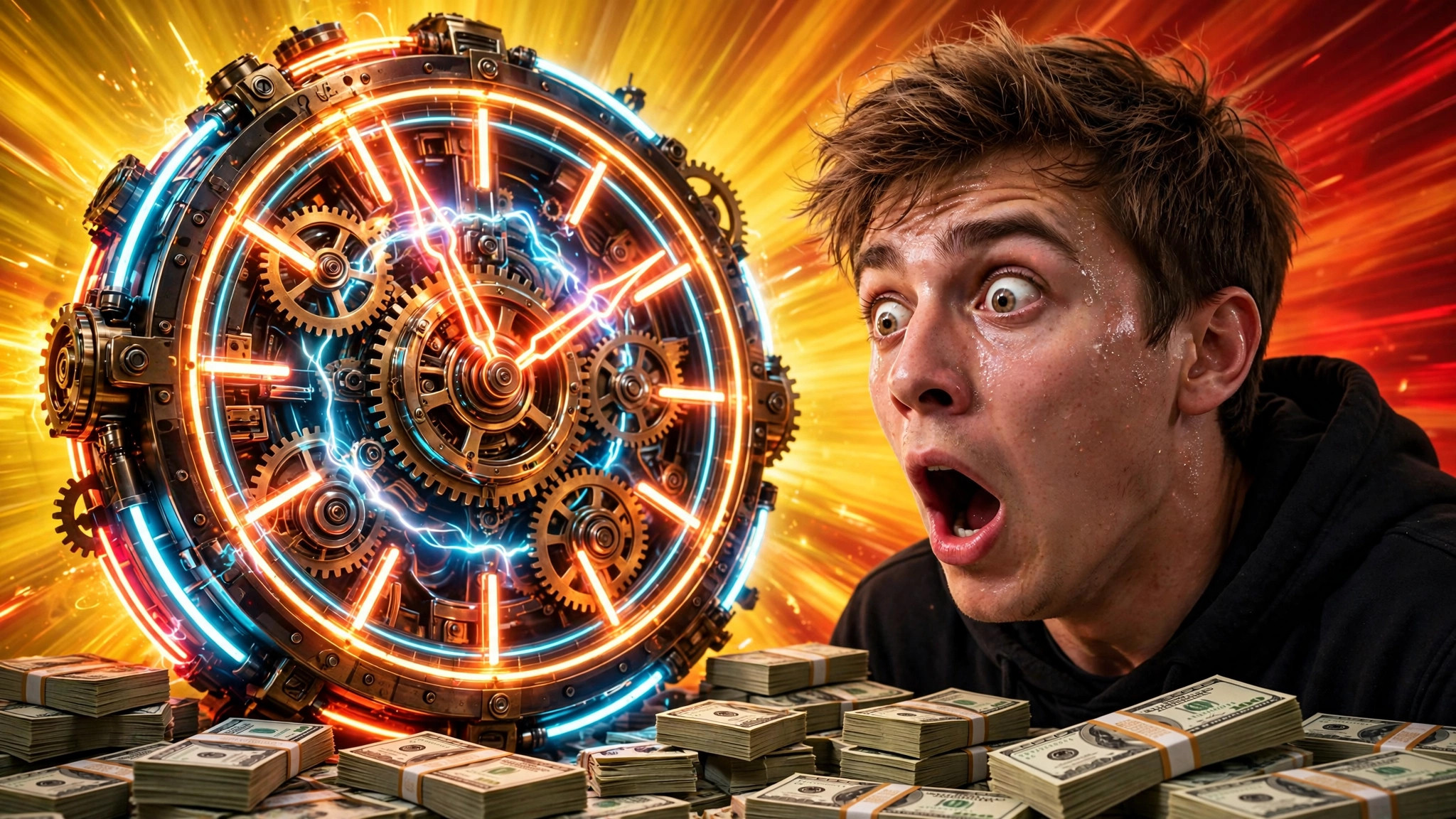
Challenge videos need thumbnails that scream stakes. This prompt builds dramatic 16:9 challenge art β€” giant timer, prize on display, your shocked face.
PhotoGemini
Challenge Video Thumbnail β€” example result
πŸ“‹ Copy This Prompt
Create a challenge-video YouTube thumbnail in 16:9 landscape format. Challenge: [YOUR CHALLENGE, e.g. surviving 24 hours in a tiny room]. Style: the creator's shocked face large on the right, a giant glowing timer clock dominating the left, stacks of cash or the prize visible. Background: bold yellow-to-red gradient with dramatic light rays. Composition: face right, timer left, prize bottom-centre, top strip clean for text. Mood: extreme stakes, disbelief, adrenaline. Ultra-saturated, sharp, no text, no watermark. Make it look like India's biggest challenge creator's thumbnail β€” the stakes should feel real through the screen.

Example Results

View More →
Viral YouTube Thumbnail example
Viral YouTube Thumbnail
Gaming Thumbnail example
Gaming Thumbnail
Vlog Thumbnail example
Vlog Thumbnail

Why This Prompt Works

  • The timer is non-negotiable β€” it instantly communicates the challenge format.
  • Show the prize; viewers click for what's at stake.
  • Match the thumbnail's energy to the video's first 30 seconds.

Best For

πŸ“ΈInstagram DPπŸ‘€Profile PicturesπŸ“±Social Media Posts🎨Creative ProjectsπŸ‘—Fashion Portraits
How to Use−
  1. Copy the prompt.
  2. Describe your challenge.
  3. Generate with Gemini.
  4. Add the challenge text ('24 HOURS!') in your editor.
  5. Upload.
Prompt Variations (3)+
  • Couple version: replace β€œmy selfie” with β€œa photo of us together” for a matching couple portrait.
  • Festive twist: add β€œwearing festive ethnic attire, diya-light bokeh in the background” for a Diwali-ready version.
  • B&W classic: append β€œblack and white, high-contrast studio portrait” for a timeless monochrome look.
Things to Avoid+
  • Don’t upload a blurry or group photo β€” the AI needs one clear face to lock onto.
  • Don’t delete the β€œkeep my face unchanged” line, or the result won’t look like you.
  • Don’t stack heavy filters afterwards β€” they undo the realistic finish.
Does this work for non-24-hour challenges?+

Yes β€” any timed or extreme challenge. Swap the timer for your stakes in the brackets.

What text should I add?+

The challenge itself in 2-3 words: '24 HOURS', 'LAST TO LEAVE'.

Can I use it for Shorts?+

Shorts thumbnails are rarely seen, but the art works as your Short's first frame.

Related Prompts

View All →

Updated on 2026-10-06 · Free to use